93 Compliance help For owners and administrators
Invite and manage employees
Add people one per line or by CSV; follow each person’s listening, games and acknowledgements.
For: OwnerFor: Administrator
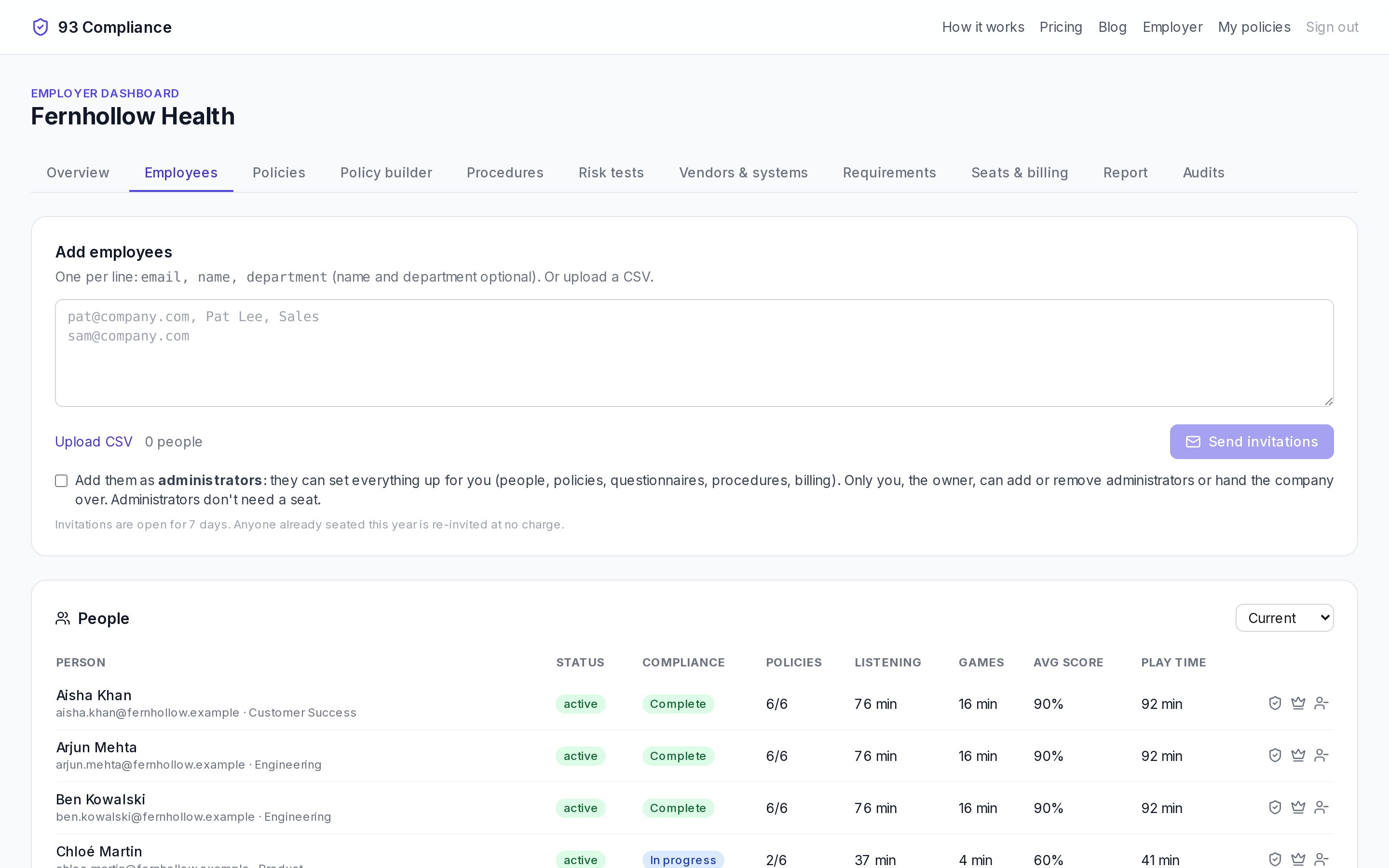
- 1Add people one per line, or upload a CSV; they get an invitation
- 2Owners can make someone an administrator
- 3Show current, removed or everyone; removed people's records are kept
Screens show Fernhollow Health, a made-up company we use for demos.
- 1Type one person per line:
email, name, department(name and department are optional), or Upload CSV. - 2Choose Send invitations. Invitations are open for 7 days.
Click a name to see that person’s listening, games, play time, policies this period, and the record of what they acknowledged and when.
Owners can Make administrator, Make owner, or Remove someone. Removing keeps their record; Restore brings them back.
Related
Who’s who: owner, administrators, employees, auditors
Four kinds of people, plus per-document owners, maintainers and contributors.
The training report
Everyone’s status for a period, policy by policy: how much they heard and when they acknowledged it.
Seats and pricing
Policies are free. Training records are $10 per employee per year.