93 Compliance help For employees
Steps waiting for you
Procedure steps for you or your team: take one, add the evidence, and mark it done.
For: Employee
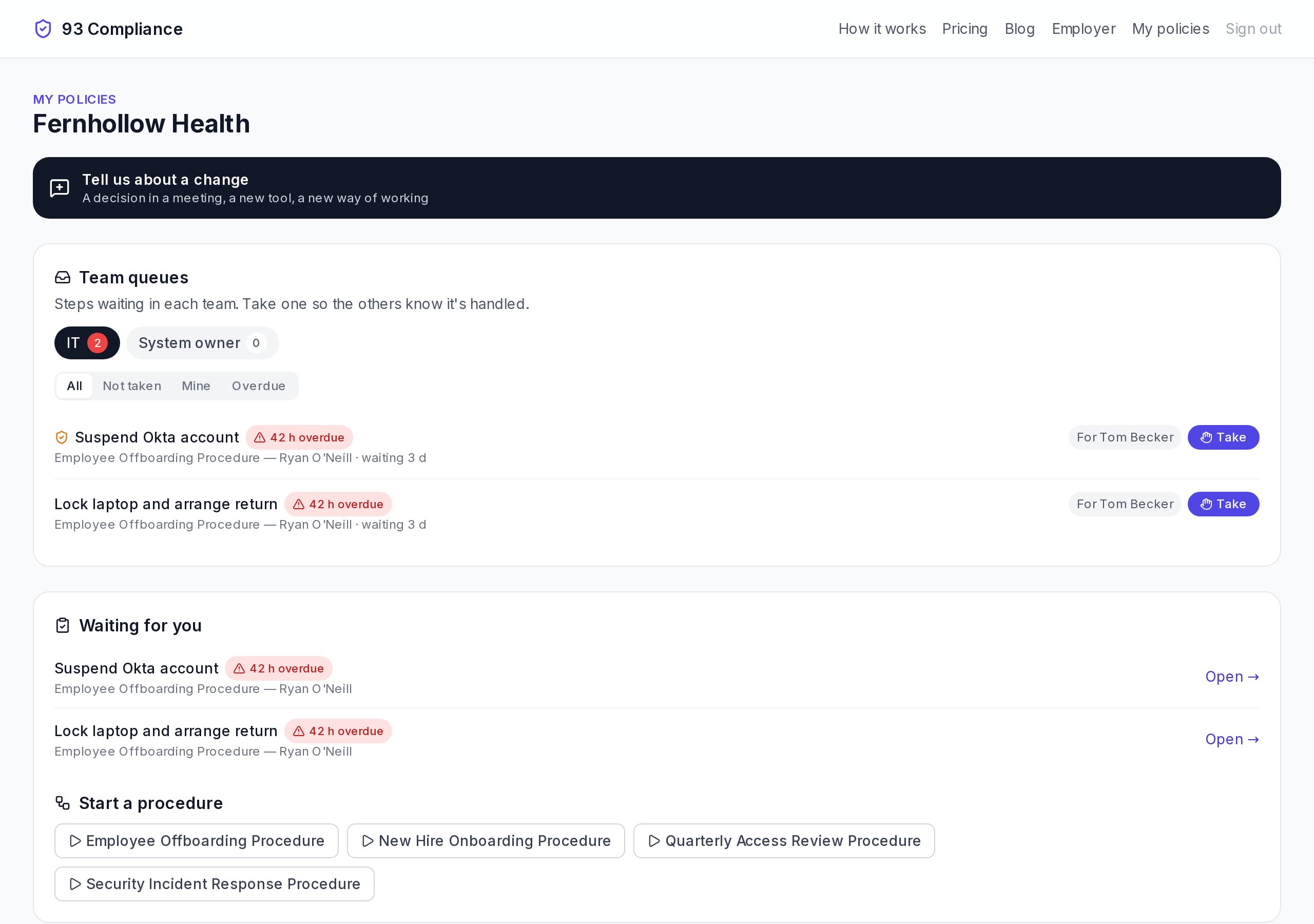
- 1Tell us about a change when the written way isn't how work is really done
- 2Team queues: steps waiting for your team; Take one so others know
- 3Waiting for you: steps assigned to you, with how overdue they are
Screens show Fernhollow Health, a made-up company we use for demos.
- 1Under Team queues, choose Take on a step so your team knows you have it. Give back to the queue if you can’t do it after all.
- 2Open a step under Waiting for you.
- 3Add what it asks for: a photo, a file, an answer or a sign-off.
- 4Choose Done. If something is wrong, choose Flag a problem instead and say what.
Start a procedure lists the procedures you’re allowed to start yourself.