93 Compliance help For owners and administrators
The policy builder
Three panes: the assistant, your documents, and the document you’re working on with tracked changes.
For: OwnerFor: Administrator
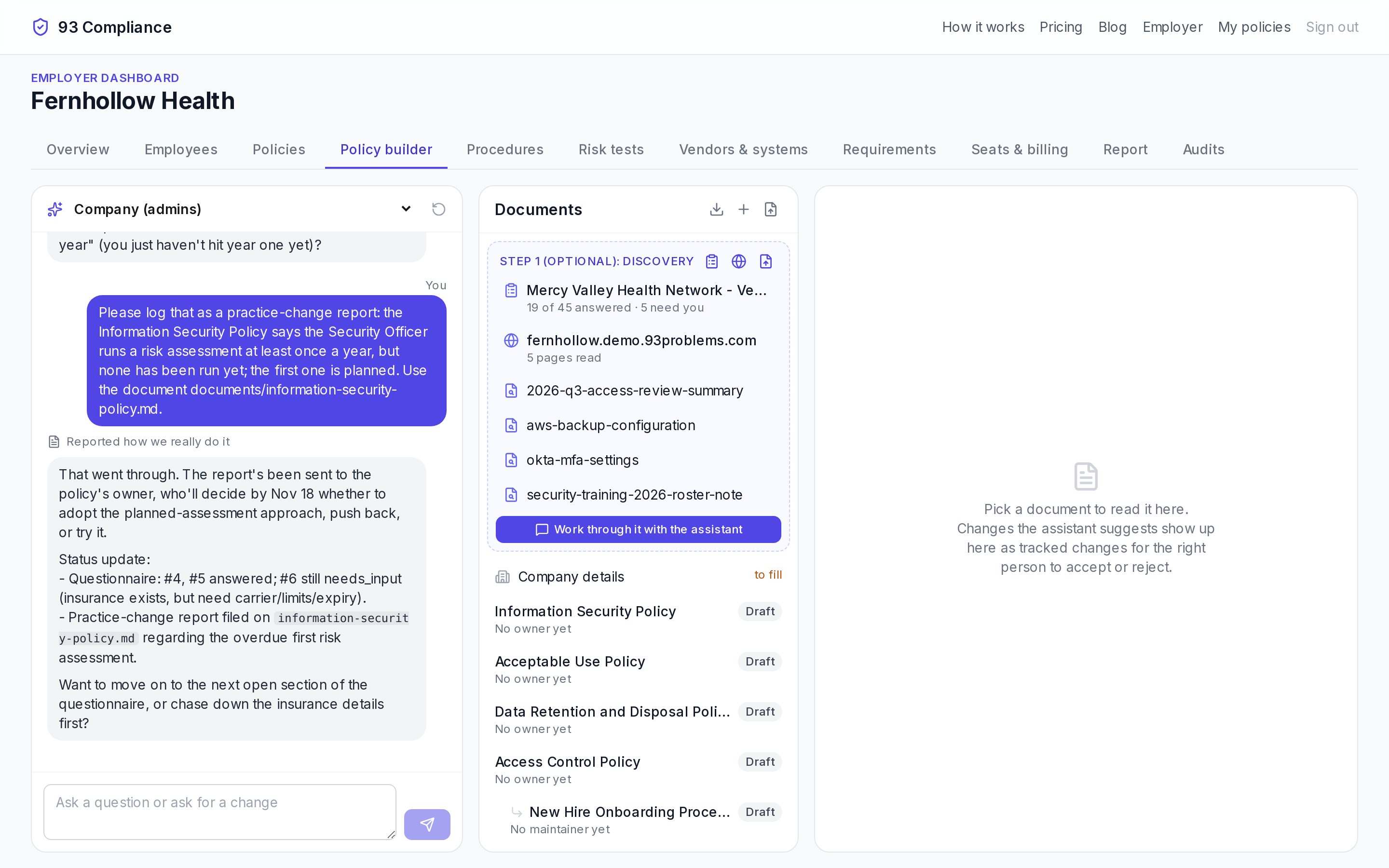
- 1Assistant chat: ask a question or ask for a change. Threads can be private, for admins, or shared on one policy.
- 2Discovery: questionnaires, your website and evidence the assistant reads first
- 3Documents with their status (Draft, Approved, Published)
- 4The focused document; suggested changes appear here as tracked changes to accept or reject
Screens show Fernhollow Health, a made-up company we use for demos.
Ask the assistant for anything, in plain words: “Our vendor policy doesn’t cover AI tools that touch patient data. Add a section.” It writes the change into the document as a tracked change in an amber box; you Accept or Reject it, and can view Only the changes or the Whole document.
- Add policies with + (from the library), upload your own, or download all of them as a zip.
- Company details fill the blanks every policy shares.
- Each document has Document, Blanks, People & procedures and History tabs.
- Chat threads: Just me (private), Company (admins), or shared on one policy with the people who work on it.
On a phone, the three panes become tabs: Assistant, Documents and Document.
Related
Policies, drafts and versions
Drafts are worked on in the builder; publishing makes a numbered version that employees learn and auditors see.
Customer security questionnaires
Answer a customer’s questionnaire from your own policies, then test your policies against it.
Discovery: your website and how you work
Give the assistant your website and real documents first, so policies describe what you actually do.