Artifacts from other systems, sealed if you like
Send any SOC 2 artifact with one company key; sealed ones show auditors only that they exist and when.
Some proof lives in other systems: a legal portal, a ticketing tool, a scanner. Artifacts let those systems file it in 93 Compliance, tagged with a control (such as CC6.1) or a folder, each with a 93 Notary receipt.
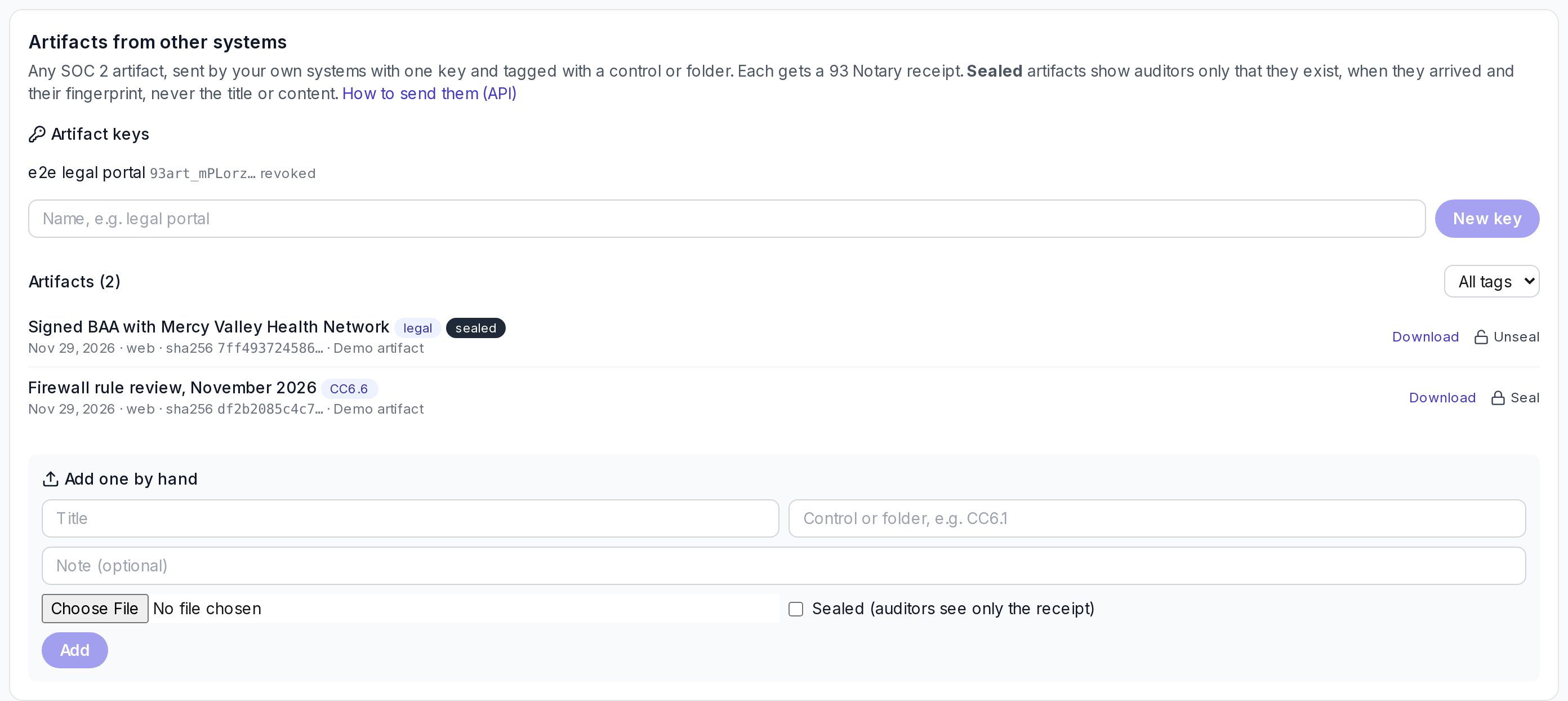
Two artifacts: a firewall review the auditor can open, and a sealed agreement.
The auditor sees only that it exists: Sealed item, its tag, when it arrived, its fingerprint and receipt. Never the title or the content. Use it for documents you must prove you have but can’t share, such as a signed contract.
Send artifacts from a system
- 1At the bottom of Evidence, under Artifact keys, type a name (for example “legal portal”) and choose New key.
- 2Copy the key (it starts with
93art_). It isn’t shown again; it lasts a year. - 3Your system sends
POST https://93problems.com/api/artifactswithAuthorization: Bearer 93art_…, atitle, atag, and afile(up to 25 MB) or just itssha256. Addsealed=trueto seal it. See How to send them (API).
Or use Add one by hand: a title, a control or folder, a file, and the Sealed box. Seal and Unseal change what auditors see from then on.
Only owners and administrators see this section. Unlike an evidence key, one artifact key can file anything for the company, so keep it as safe as a password, and Revoke it when a system no longer needs it.