Team queues: who does each step, and what happens when it’s late
Steps go to a role’s shared queue, in turn, or to whoever has least; late steps climb to team leads, then administrators.
Steps go to roles, so work keeps flowing when people change jobs or go on holiday. Each step’s Goes to setting decides who in the role gets it.
- Anyone in the role: a shared queue. Whoever is free takes it.
- One, in turn: people in the role take turns.
- Whoever has least: the person with the fewest open steps.
People on time off are skipped. If everyone in the role is away, or nobody holds it, the step goes to the role’s team leads, then to administrators, with a note saying why.
Take, give back, assign
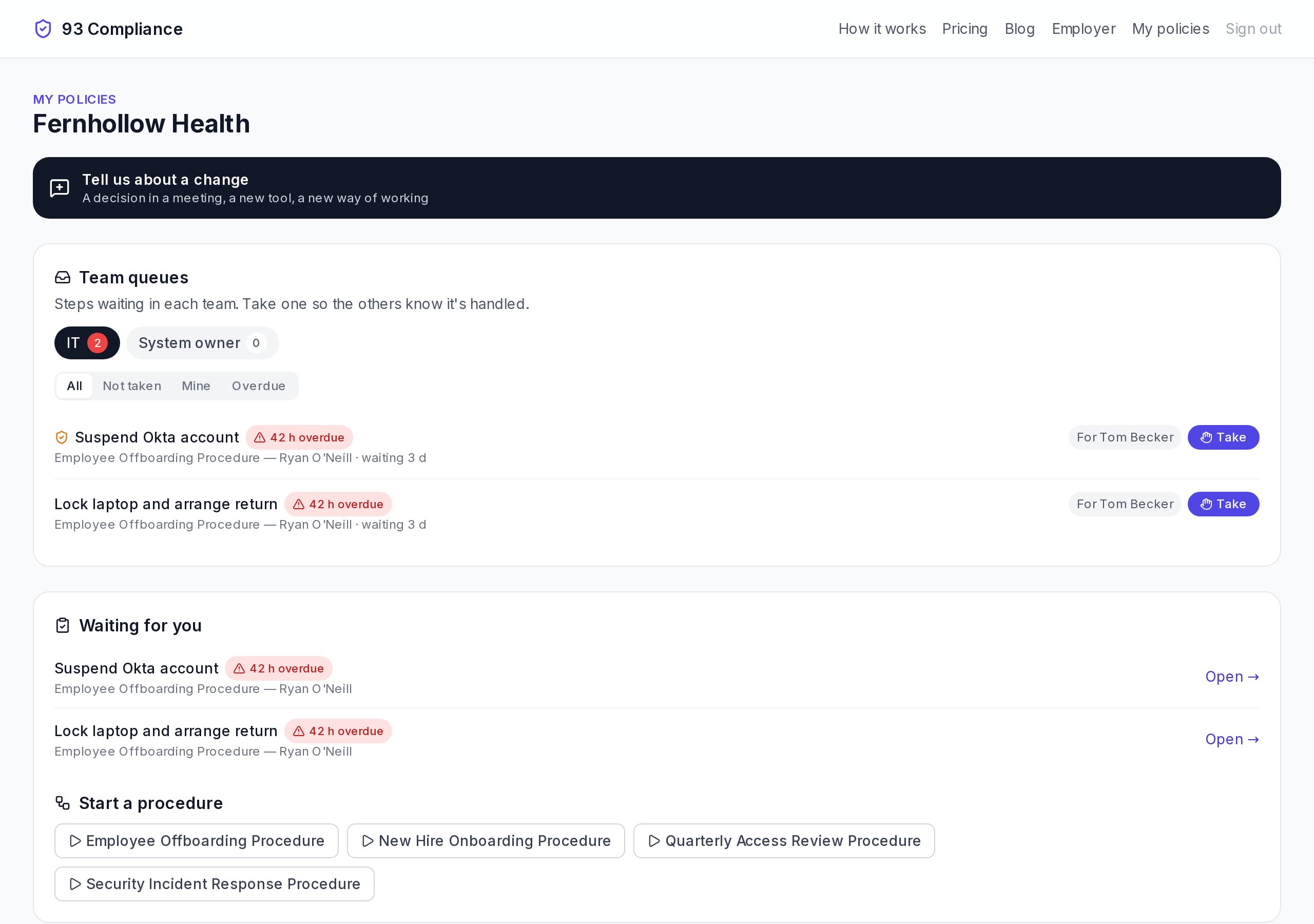
- 1Tell us about a change when the written way isn't how work is really done
- 2Team queues: steps waiting for your team; Take one so others know
- 3Waiting for you: steps assigned to you, with how overdue they are
Tom’s team queue and the steps waiting for him.
- Take a step so the team knows you have it. Give back if you can’t do it after all.
- Team leads and administrators can Assign… a step to someone. A check is never given to the person who did the step it checks.
- Filter the queue: All, Not taken, Mine, Overdue. Leads also see how quickly steps are taken and finished.
When a step is late
With no team lead, the step goes to the manager of whoever has it. Each stage sends an email and a notice; with Phone notifications for steps on, a push notification too.
Mark team leads with the star under Roles and reporting on Procedures, and set each step’s Due within in the editor.