The Live tab: what people and their agents are doing
A running feed of the work, who is on what right now, and checks that re-test your risks when documents change.
When people and AI agents work on the same program, you need to see who did what. The Live tab shows it as it happens, and refreshes every 10 seconds.
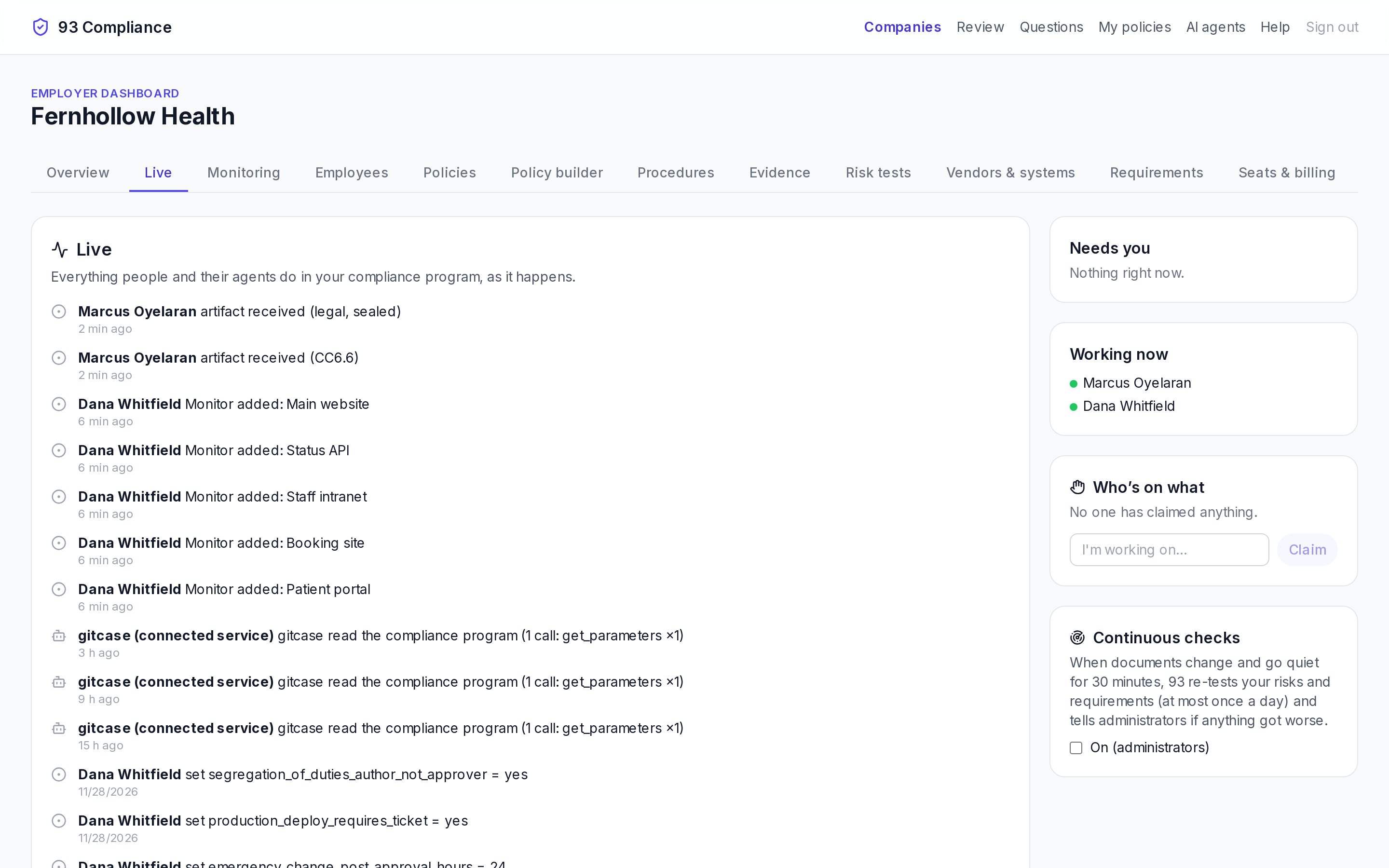
- 1The activity feed: what people and their AI agents did, newest first
- 2Needs you: your evidence that isn't arriving, and steps you claimed
- 3Continuous checks: re-test your risks after documents change
Screens show Fernhollow Health, a made-up company we use for demos.
The feed
Steps completed, evidence arriving or going missing, plans, suggested changes accepted or rejected (with the reason), questions answered, monitors and artifacts added, services connected. A robot icon means an agent did it, with the agent’s name next to the person’s. The feed shows summaries only, never document text or evidence.
Needs you and Working now
Needs you shows your evidence items that aren’t arriving and the steps you claimed. Working now lists who did something in the last 15 minutes.
Who’s on what
A visible “I’m working on this”. Type it under I’m working on… and choose Claim. It isn’t a lock: nobody is blocked, but agents are told who’s already on it. A claim ends by itself after 2 hours, or with the ×.
Continuous checks
Tick On (administrators) and 93 re-runs your risk tests after documents change and then go quiet for 30 minutes, at most once a day. If any requirement got worse, administrators get an email listing what changed, with a link to Risk tests.