93 Notary: receipts that prove when evidence existed
Every piece of evidence gets a signed, timestamped receipt that anyone can check, so nobody can backdate it.
An auditor has to trust that evidence wasn’t made the week before the audit. 93 Notary removes that doubt: each piece of evidence gets a receipt the moment it arrives, and the receipts can be checked without trusting us.
A small signed record: the evidence’s fingerprint (SHA-256), what kind of evidence it is, who sent it and when it arrived. The file itself is never in the receipt.
What gets a receipt
- Evidence on procedure steps: photos, files, answers.
- Evidence sent with an evidence key.
- Artifacts from other systems.
- Evidence gaps opening and closing, remediation plans and their steps, and accepted risks.
Why it can’t be backdated
Every 10 minutes the log is sealed and timestamped by two independent time-stamping authorities. After that, nobody, us included, can quietly change or insert an entry.
Check a receipt
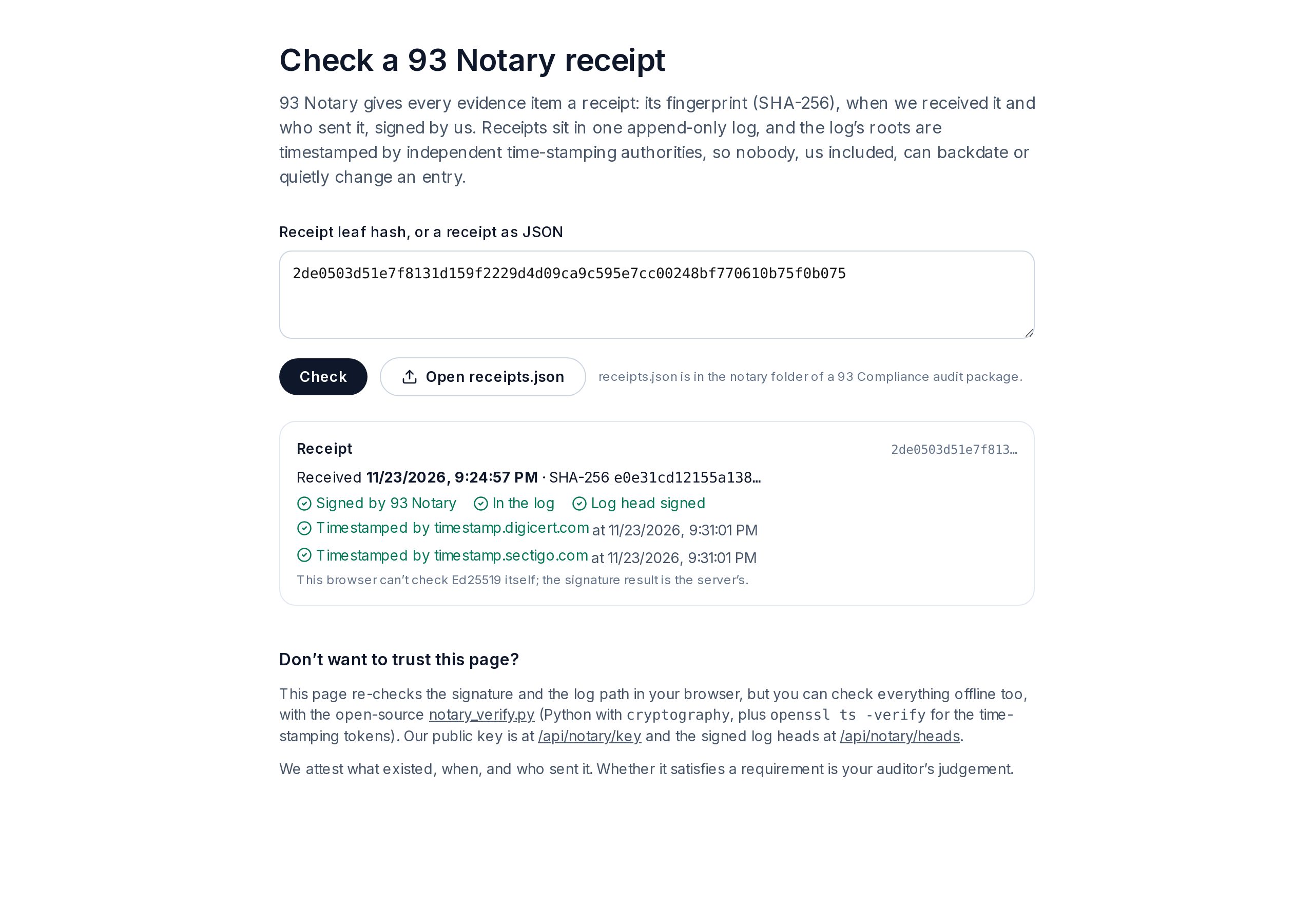
A receipt checked on the public page: signed, in the log, and timestamped by two authorities.
- 1Open 93problems.com/notary/verify. No account is needed.
- 2Paste a receipt’s leaf hash or the receipt itself, or choose Open receipts.json from an audit package.
- 3Choose Check. Each receipt shows Signed by 93 Notary, In the log and Timestamped by each authority. A brand-new receipt waits up to 10 minutes for the next log head.
To check without our website, use the open-source notary_verify.py on the notary/receipts.json file from the audit package. To match a receipt to your own file, compute the file’s SHA-256 and compare.
It proves what existed, when, and who sent it. It doesn’t say the evidence is true or that it meets a requirement; that is your auditor’s judgement.