When evidence is late: plans, reminders and accepting the risk
Owners get one message a day; without a plan it climbs to the backup owner, then administrators. Send a plan or accept the risk.
When an item is due soon with nothing automated, late or failing, 93 opens a gap. A gap stays open until good evidence arrives, then closes by itself. Opening and closing are both recorded with a 93 Notary receipt, so you can later show when you noticed and when you fixed it.
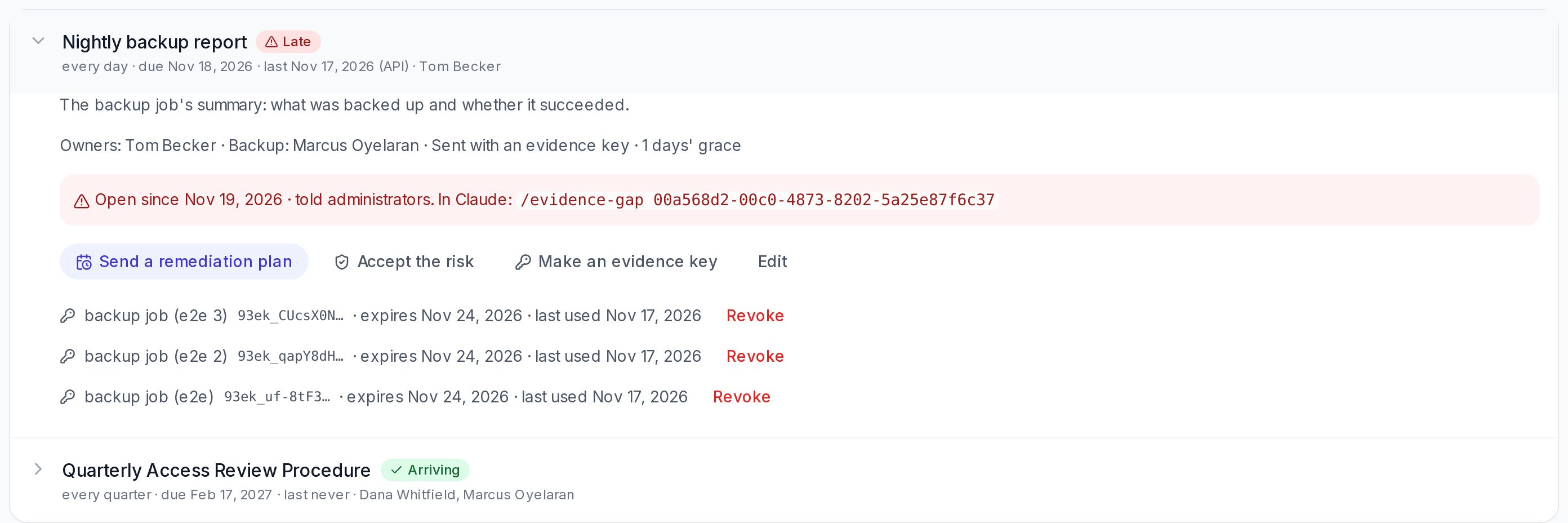
Fernhollow’s nightly backup report is late. The owners can send a plan, an administrator can accept the risk.
Who hears about it
Each person gets at most one email a day (“Evidence needs you”), plus a notice in the app. Sending a remediation plan stops the climb.
Send a remediation plan
- 1Open the item on Evidence and choose Send a remediation plan.
- 2Add up to 20 steps, each with What will be done, a date and who.
- 3Under Meanwhile, say what evidence you’ll give until it’s fixed.
- 4Choose Send the plan. Tick each step Done as it happens.
If a step’s date passes and it isn’t done, the plan slips: owners and backup owners are reminded every 2 days. A new plan replaces the old one.
Accept the risk
Sometimes a gap is acceptable for a while. An administrator chooses Accept the risk, writes why, and picks an end date (up to a year ahead). Reminders stop until then; the gap stays on record with its reason and receipt.
With the 93 Compliance connector in Claude, ask “why isn’t the nightly backup report arriving?”, or use the /evidence-gap prompt shown on the item.