Trust Center: NDAs, access requests, AI answers and subscribers
Buyers confirm their email, accept your NDA and get watermarked documents for a set time; AI answers quote only your published documents.
How a buyer gets a gated document
- 1The visitor asks for access with their name, work email and company. Nothing reaches you until they type the code we email them.
- 2They read your NDA, type their name and accept. The signing record (name, email, organisation, time and a fingerprint of the NDA text) is notarized, and they can download a PDF of what they signed.
- 3NDA documents open at once for a work email. NDA + approval documents wait for you, unless the email’s domain is on your Approve at once list. Free email addresses (Gmail, Outlook and the like) and domains on Always ask me always wait for you.
- 4You get an email and a badge on Requests. Approve (for 30 days by default, or the days you choose), approve some documents, or Deny.
- 5They get a sign-in link by email; there are no passwords. Each download is a PDF with their email, company, time and a download id on every page.
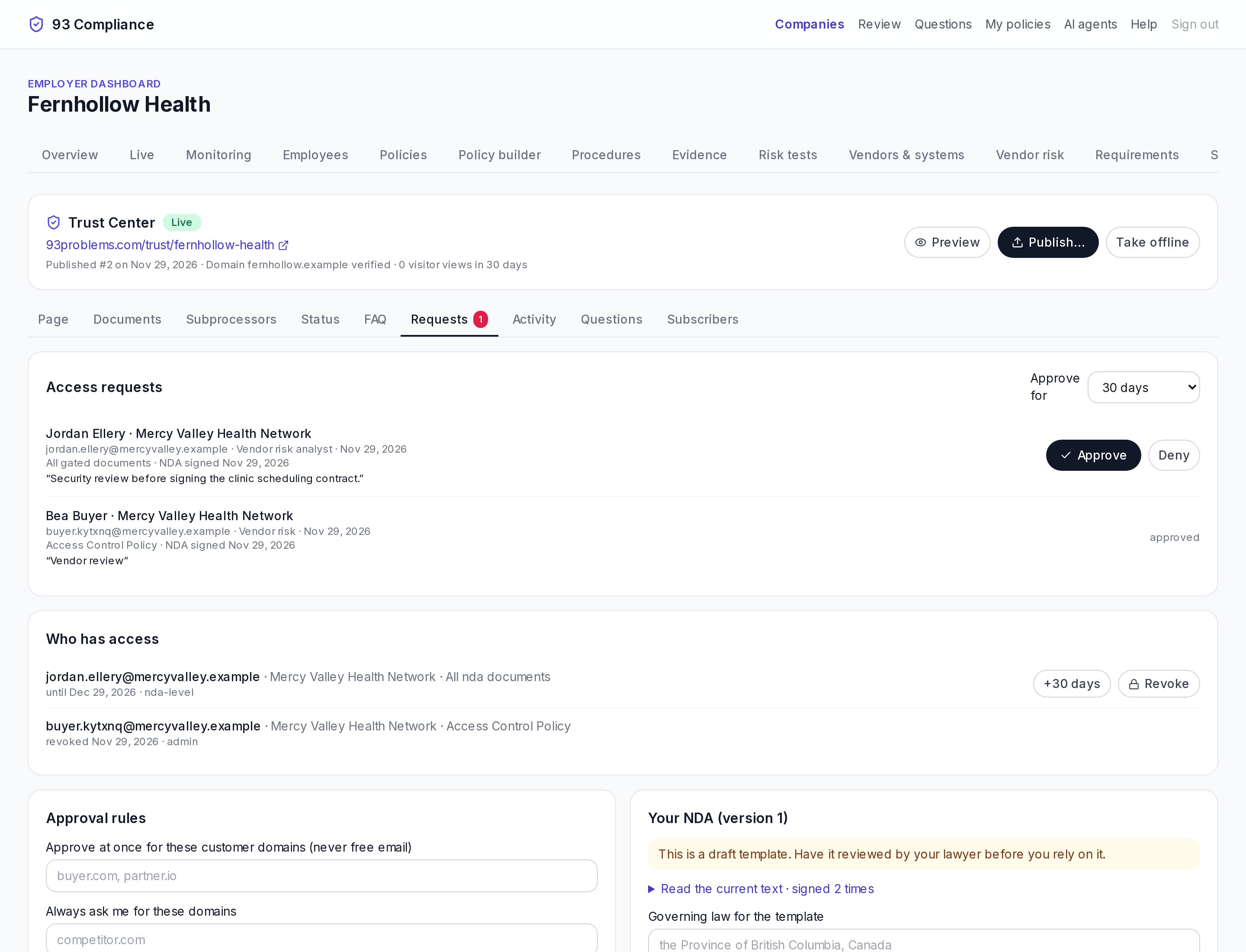
- 1A request waiting: they confirmed their email and signed the NDA
- 2Who has access: revoke or extend
- 3Domains approved at once, and domains that always wait
- 4The NDA template is a draft: have your lawyer review it
Screens show Fernhollow Health, a made-up company we use for demos.
Under Who has access you can Revoke a grant (it stops working at once) or add +30 days. Downloads are limited to 30 per person per day.
The built-in NDA is marked DRAFT TEMPLATE: NOT REVIEWED BY A LAWYER. Have your lawyer review it, or paste your own text, before you rely on it. You can set the governing law. Each change makes a new version; people who signed before keep the version they signed.
Ask our trust center
Visitors can type a question. The answer comes only from the documents on your published page that this visitor may read, and from your FAQ. Every sentence must rest on an exact quote, and the server checks each quote word for word against your document; if none survives, the visitor is told your documents don’t answer it and can send the question to your team. You see it under Questions, and your reply is emailed to them and can be saved as a new FAQ.
- A gated document that might answer is named (“available on request”) without its content.
- Limits: 8 questions a day for an anonymous visitor, 40 with access, 300 a day for your page.
- Questions are kept 90 days unless they were sent to your team.
Subscribers and activity
Visitors can subscribe by email (with a confirmation link) to subprocessor changes, status, documents and frameworks. When you publish a change they care about, they get one email within about 10 minutes, with a one-click unsubscribe. Activity shows visitors, views, downloads, requests, NDAs and questions, the companies looking at you this month and the most opened documents, without keeping visitors’ IP addresses (only a salted fingerprint).