93 Dispatch: send jobs to your drivers’ phones and watch them get done
Push a job to one driver or offer it to the nearest; see who is online on a live map, every answer, check-in and photo.
93 Dispatch is switched on for a business on request. Ask us if you’d like to use it; until then the Dispatch tab doesn’t appear. Ask about pricing at the same time: Dispatch has no price of its own on the site yet.
93 Dispatch is for businesses whose work happens on the road: plumbers, cleaners, couriers, taxis. The office makes a job; it goes to a driver’s phone in the 93 Problems app; the driver answers, drives there, checks in and out, and adds the proof you ask for. The office follows all of it on one live board.
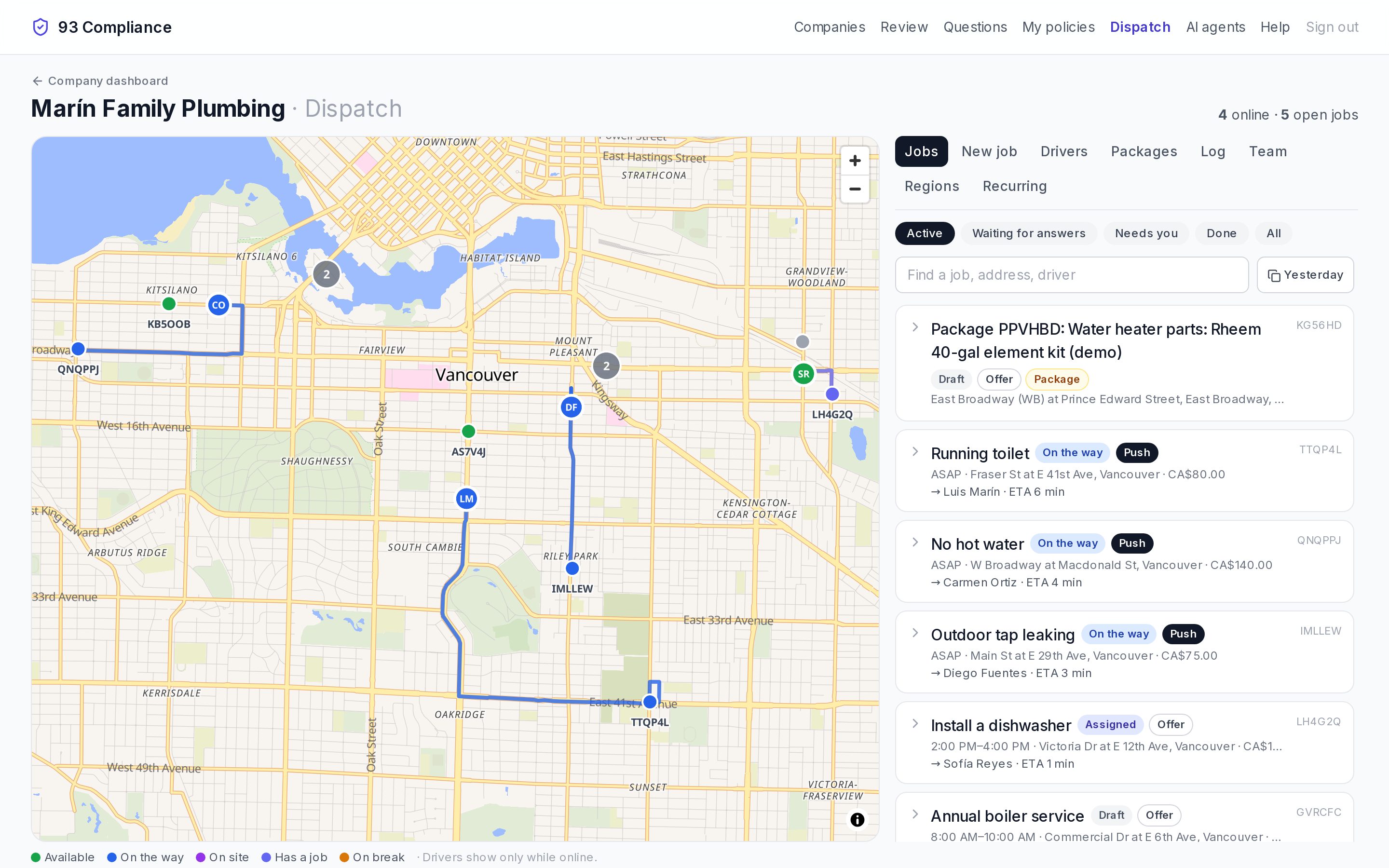
- 1How many drivers are online, open jobs, and Accept-if answers to approve
- 2The live map: drivers appear only while they are online
- 3New job: push, offer or save a draft
- 4Each job: status, push or offer, ETA, who has it
Screens show Marín Family Plumbing and Vic’s Taxi crew, made-up businesses we use for demos, with simulated drivers.
Two ways to use it
A 93 Compliance company with Dispatch turned on. People have roles: the owner and administrators set things up, dispatchers send jobs (optionally only in their region), drivers get jobs. The board is the company’s Dispatch tab.
A few independent drivers who share work, like a taxi driver and friends. Everyone in a crew can dispatch, nobody pays for seats, and the crew can take ride requests from its riders through a link. A crew has its own board at 93problems.com/crew/<name>/manage.
The ideas you need
A driver gets offers only while they have tapped Go online in the app. Only then does the office see where they are. Going offline deletes their position at once. See Dispatch and your location.
Push gives a job straight to one driver: no answer needed. Offer asks the nearest online drivers in rings; the first to accept gets it. See Send a job.
A driver can answer “yes, if”: a different price, a different time, or a note. Small changes within your rules are approved at once; the rest wait for the office.
You choose what a step needs: a photo before or after, a barcode scan, a tracking number, a note. The app won’t finish the step without it, and every step records the time and where the phone was.
Where to go next
Related
More in 93 Dispatch
- 93 Dispatch: send jobs to your drivers’ phones and watch them get done
- Set up 93 Dispatch: turn it on, invite drivers, choose your rules
- Send a job: push it to one driver, or offer it to the nearest and let them Accept if…
- The live board: who is online, where every job stands, and the proof
- Rides and packages: riders ask through a link, parcels carry a tracking link
- For drivers: go online in the app, answer offers, and work each job step by step
- Dispatch and your location: shared only while you’re online, kept only with the job