Rides and packages: riders ask through a link, parcels carry a tracking link
Crews take ride requests from a private link or a public page; packages get photo proof at every hand, handoffs between couriers and a tracking page.
Ride requests (crews)
In Riders, choose who can ask for a ride: Nobody, People with a link or Anyone (public page). A crew starts with links only.
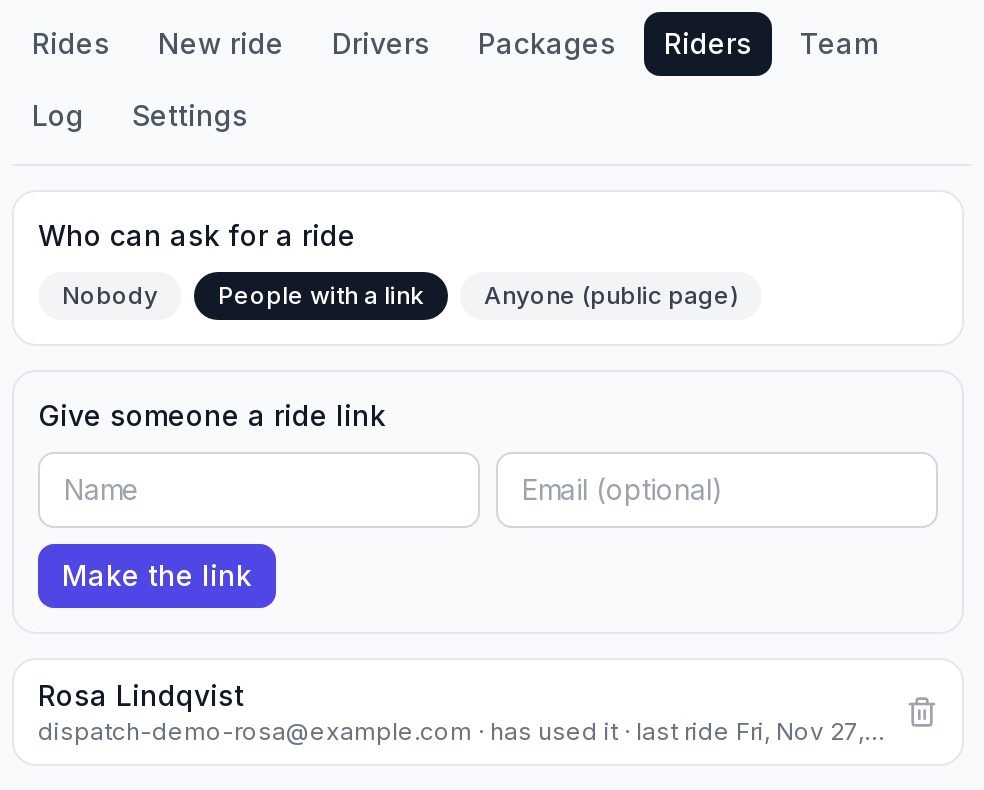
- 1Off, people with a link, or anyone (public page)
- 2A ride link for one rider: send it or let them scan it
- 3Riders with a link; stop a link at any time
- 1Give someone a ride link: their name (and email if you like), then Make the link. Send it or let them scan the QR code. The link is their key: no account needed. Stop a link at any time.
- 2The rider opens it, sets the pickup (typed, My location, or a tap on the map), an optional dropoff, Now or Later, and a note, then Request a ride.
- 3The ride goes out as an offer to the crew’s nearest drivers (a ride booked for later goes out 30 minutes before). The rider’s page shows Finding a driver…, then the driver’s first name, the car, the ETA and the car on the map, until You’ve arrived. They can cancel until the driver arrives.
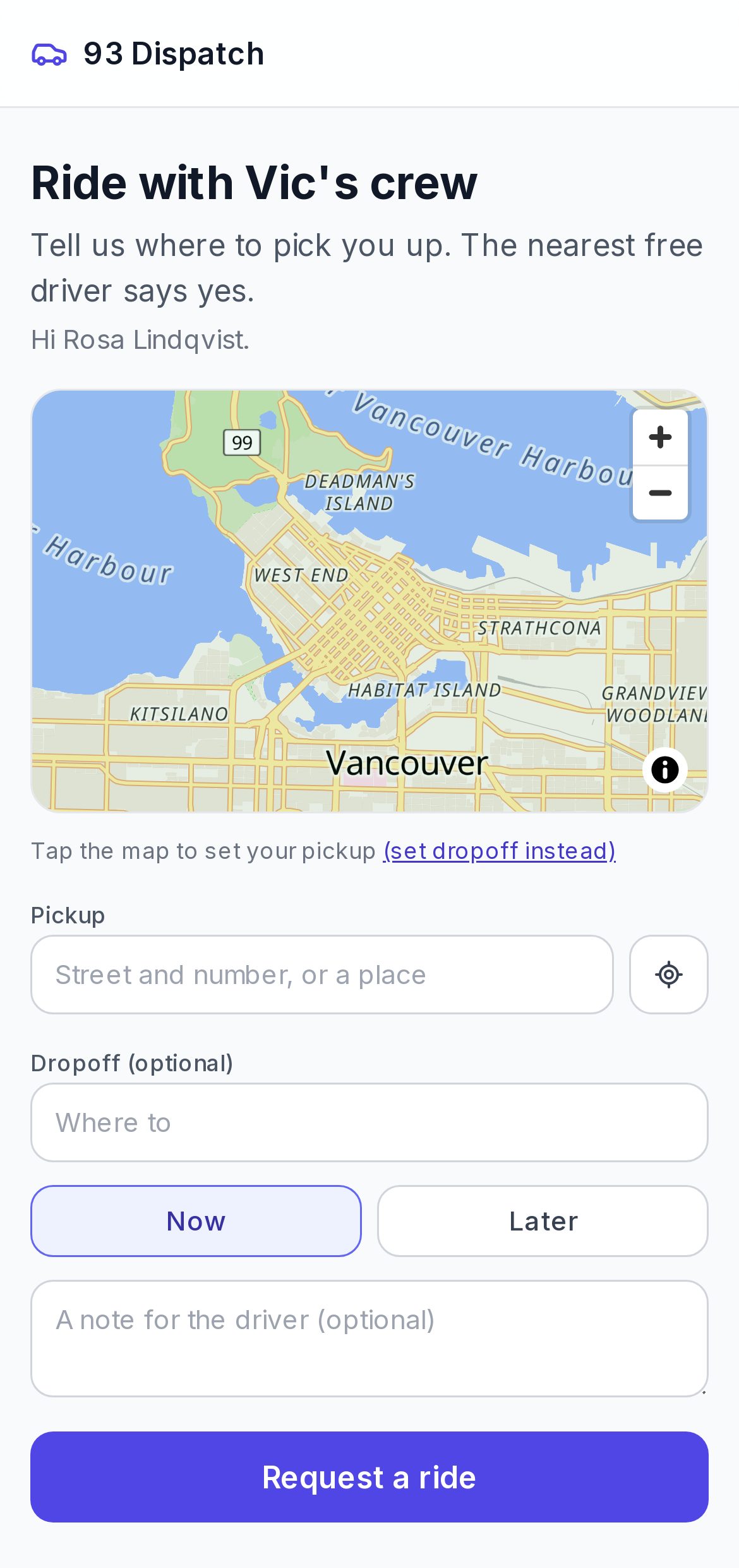
What a rider sees from their link.
On a public page, anyone can ask: they confirm with a 6-digit code sent to their email. Limits stop spam (a few requests per hour per address and per email, one open ride each), and you can set a service area. With a 93 account, a rider can Keep this crew in my 93 account and ask from the app’s Work tab.
Packages
New job → Package: from (pickup) and to (delivery), sender and recipient, an expected tracking number, then push, offer or draft like any job.
- Every package needs a photo and GPS at pickup, at every handoff and at delivery, whatever your settings. You can ask for scans and tracking numbers too.
- Each package gets one tracking link for its whole trip. Email the tracking link to the sender, recipient or both; Replace link makes a new one and the old stops working.
- The tracking page shows the status and each step with the time, the place to the street (never the house number) and the photos. It never names the courier.
- Packages on the board lists them (On the way, Delivered, Planned handoffs) with the chain of custody: who held it, when and where. Cancel package… cancels its open jobs and handoffs too.
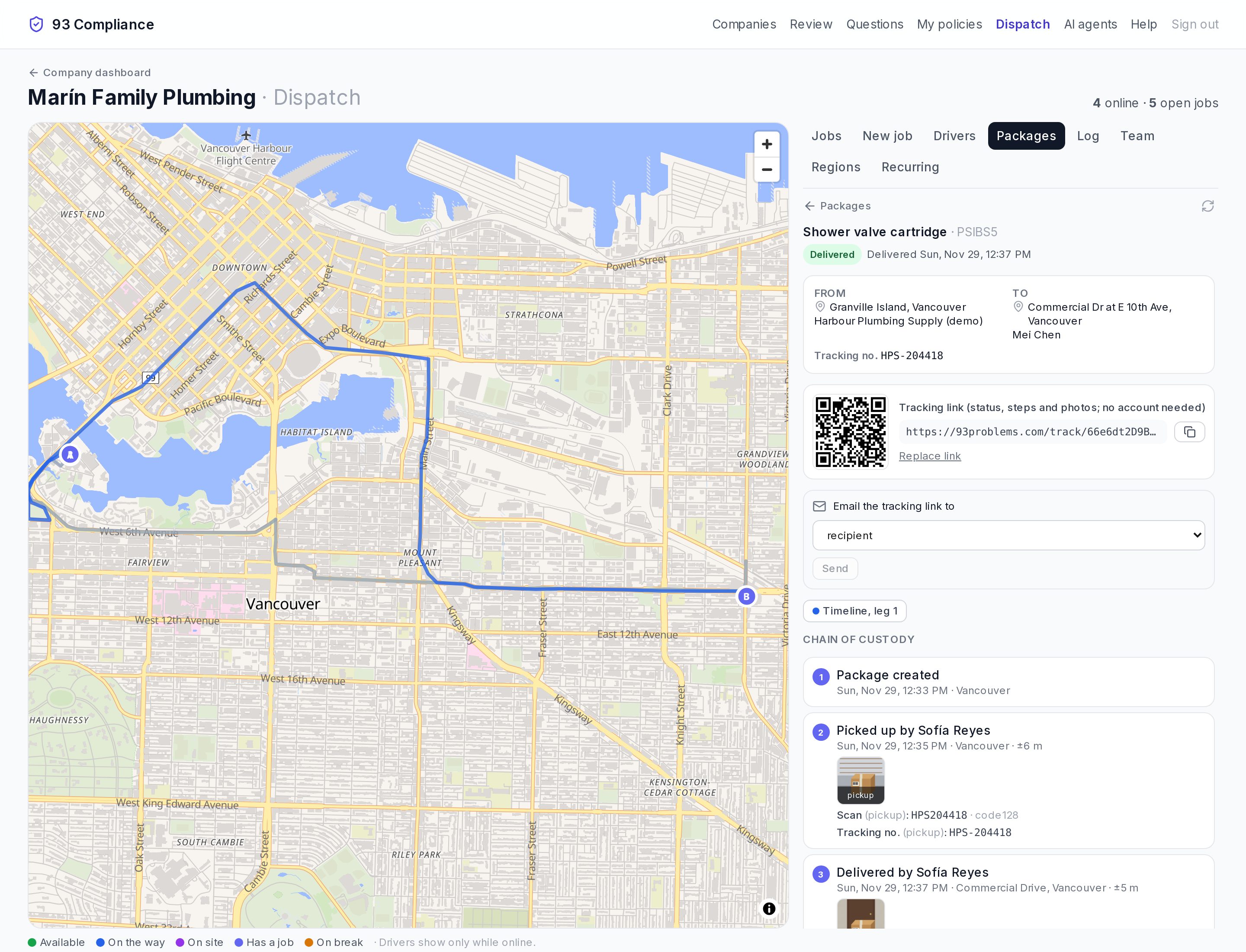
- 1The package’s tracking link: status, steps and photos, no account needed
- 2Email it to the sender, the recipient or both
- 3Chain of custody: who held it, when and where; the map shows each step
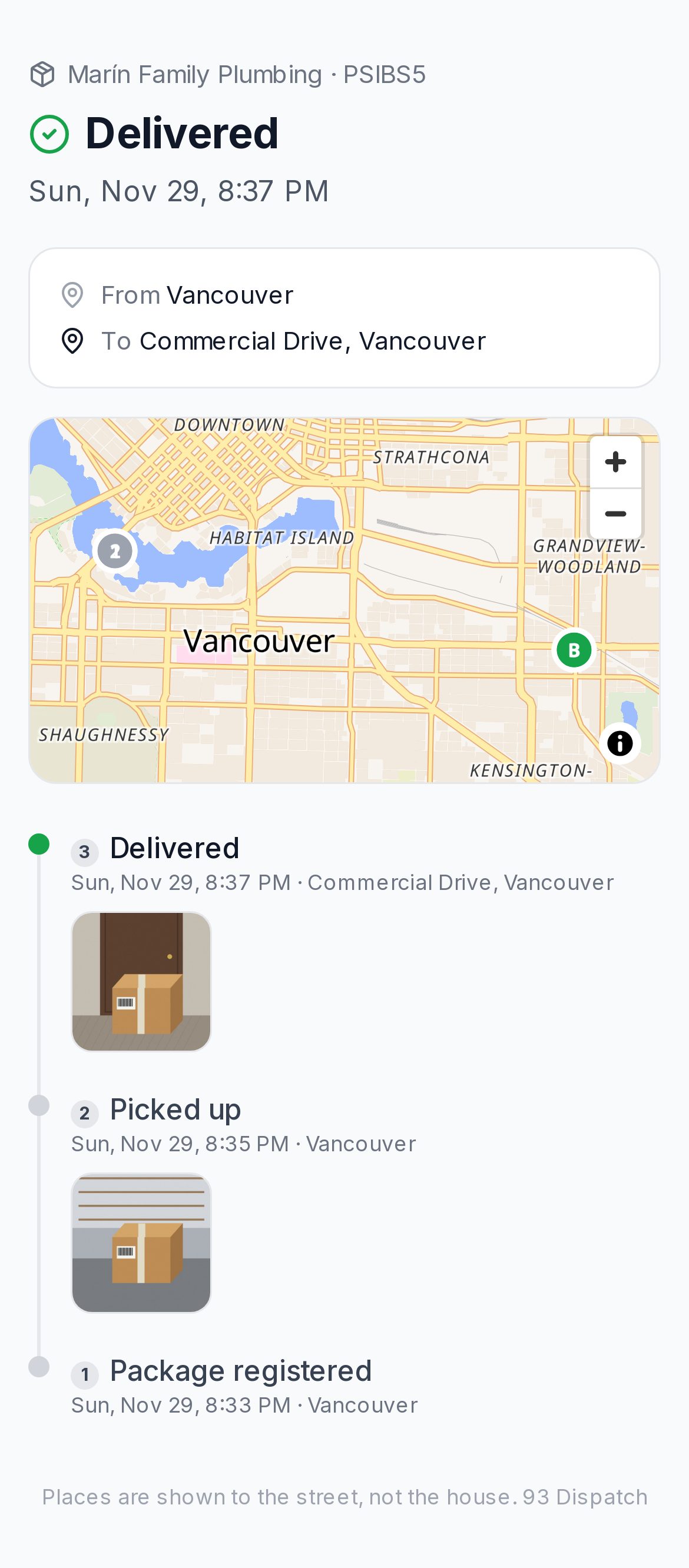
The tracking page the recipient sees: places to the street, photos, no courier name. Times show in the viewer’s own time zone.
Handoffs between couriers
A courier carrying a package can hand it to a teammate in the same company or crew. In the app they see who is online, each teammate’s plan for the day and how well the package fits it (a score, the detour in minutes), then propose a time and place. The teammate accepts, declines or suggests another time or place. At the meeting the giver confirms with a photo, the receiver with a photo or a scan, both with GPS; then the package is the receiver’s to deliver. Both get a reminder 15 minutes before.
Related
More in 93 Dispatch
- 93 Dispatch: send jobs to your drivers’ phones and watch them get done
- Set up 93 Dispatch: turn it on, invite drivers, choose your rules
- Send a job: push it to one driver, or offer it to the nearest and let them Accept if…
- The live board: who is online, where every job stands, and the proof
- Rides and packages: riders ask through a link, parcels carry a tracking link
- For drivers: go online in the app, answer offers, and work each job step by step
- Dispatch and your location: shared only while you’re online, kept only with the job