The live board: who is online, where every job stands, and the proof
The live map shows drivers only while they’re online; the Jobs list, Drivers, alerts, the timeline of each job and the log.
The board refreshes every few seconds. Across the top: how many drivers are online, how many jobs are open, and how many Accept if… answers are waiting for you.
The map
- Drivers appear as initials, coloured by what they’re doing: Available, On the way, On site, Has a job, On break. Drivers show only while online: an offline driver isn’t on the map at all.
- Jobs appear as pins with their reference; a late job’s pin turns red.
- A driver with a job is joined to it by the road route, with the ETA in the Jobs list.
- Click a pin to open the job or the driver. Regions appear as outlines.
Jobs
Filters: Active, Waiting for answers, Needs you (nobody took it, or late), Done, All; plus search and region. Each row shows the status, push or offer, the time, address and pay, who has it and their ETA, the current round’s answers, and away when a step was done far from the place. Open a row for the customer, answers, photos and actions.
Drivers
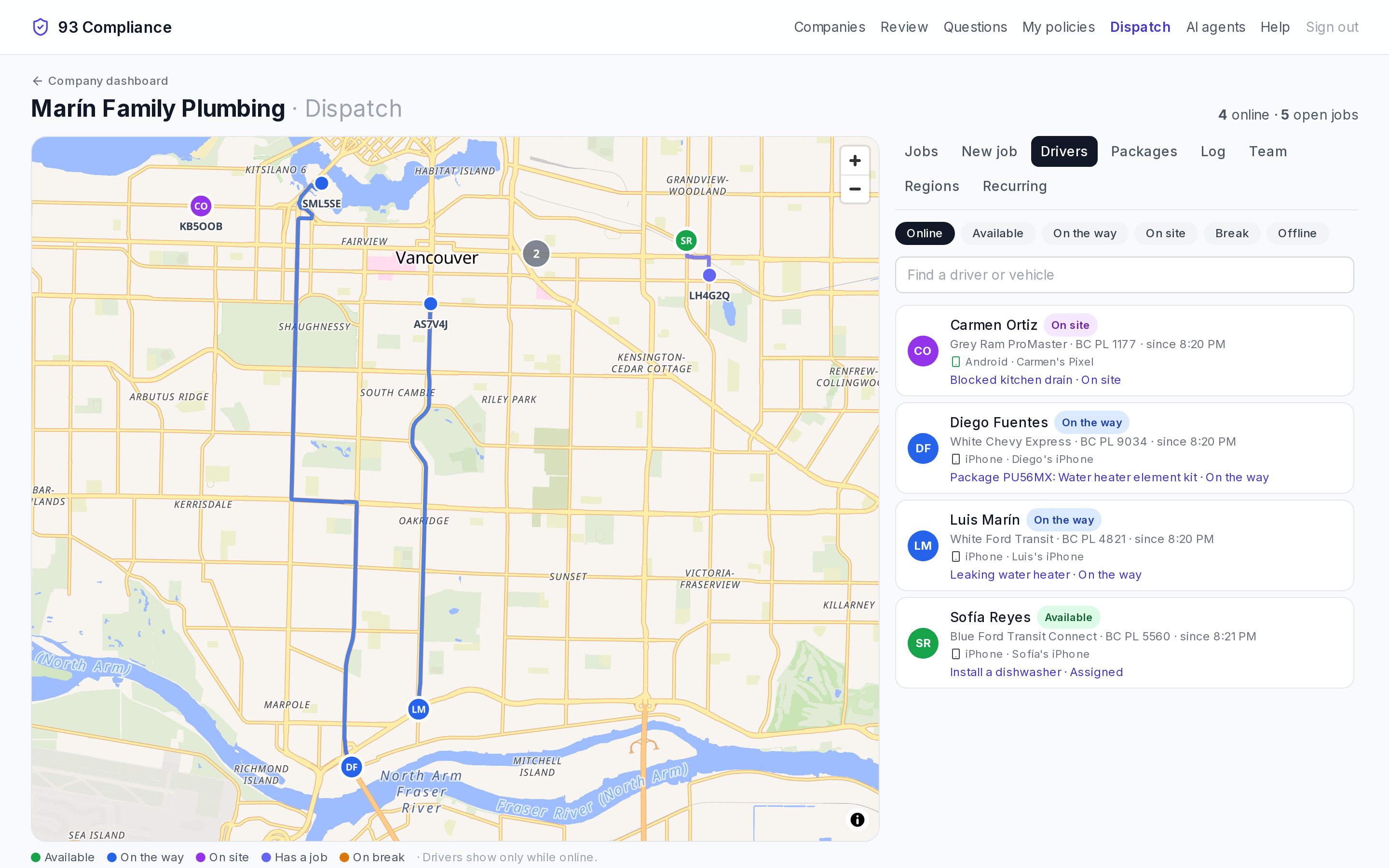
- 1Filter: online, available, on the way, on site, on break, offline
- 2Find a driver or vehicle
- 3Each driver: status, vehicle, online since, which phone, current job
Filter by Online, Available, On the way, On site, Break or Offline. Each driver shows since when they’re online, which phone is sending (handy when someone has two), and the job they’re on.
Alerts and notifications
- Nobody took it: the rings ran out.
- Late: the driver’s ETA is past the end of the job’s window (plus your grace minutes).
- Accept if… waiting for you.
Alerts show at the top of Jobs; Clear all hides them on your board only. The owner, administrators and dispatchers (of the job’s region) also get them as notifications in the 93 Problems app; in a crew, every member does.
What happened: the timeline
Open a job and choose Timeline and map of what happened. Every step (offered, seen, accepted, on the way, arrived, checked in and out, photos, scans, notes) with the time on the phone and the time we received it, where the phone was and how far from the place, and which phone did it. The map shows the route actually driven while the job was theirs; for rides and packages, the part to the pickup and the part with the passenger or package separately.
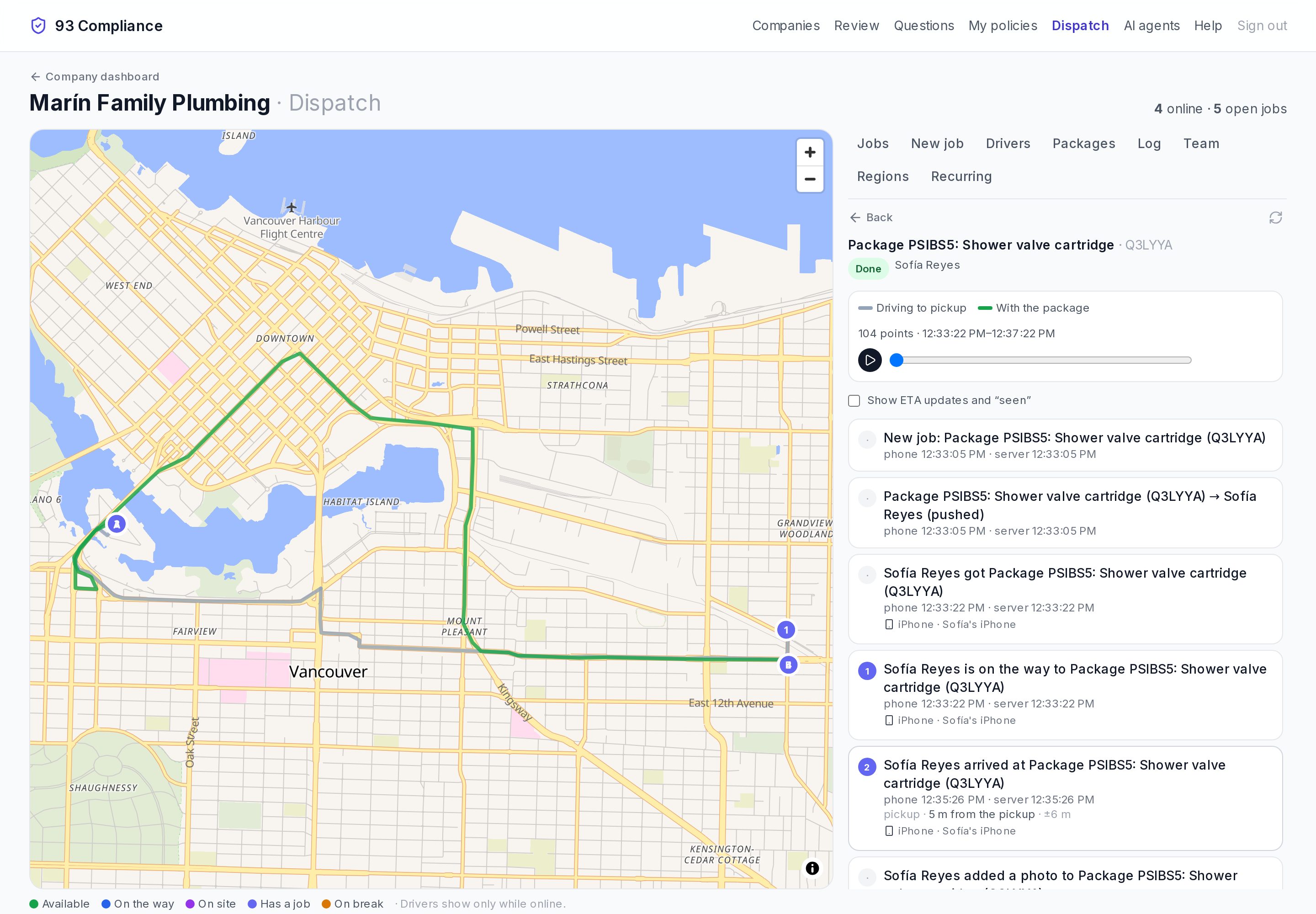
- 1The route actually driven: to the pickup, then with the package; replay it
- 2Each step: the phone’s time and the server’s time
- 3How far from the place the step was done, and which phone did it
Sofía’s delivery: grey to the pickup, green with the package.
Log lists everything as it happens while the board is open: answers, check-ins, photos and alerts.
Related
More in 93 Dispatch
- 93 Dispatch: send jobs to your drivers’ phones and watch them get done
- Set up 93 Dispatch: turn it on, invite drivers, choose your rules
- Send a job: push it to one driver, or offer it to the nearest and let them Accept if…
- The live board: who is online, where every job stands, and the proof
- Rides and packages: riders ask through a link, parcels carry a tracking link
- For drivers: go online in the app, answer offers, and work each job step by step
- Dispatch and your location: shared only while you’re online, kept only with the job